

Smartphone Tips
Most every lawyer carries a tiny computer in their pocket or bag called a “smartphone”. These portable computers are so useful and so ingrained into work and personal lives it is hard to think about a time when communications, content, and the world of information was not a few seconds away. There are always a few tips and tricks to get the most out of your smartphone, here are a few of them! And, if you want more tactical and tangible tips join us in person in Fayetteville next week for Tips for Taming Technology: Tidbits for Turbocharged Productivity Tuesday, February 18, 2025 | 12:30 – 3:00. Space is limited. Register Now!
Keyboard Control
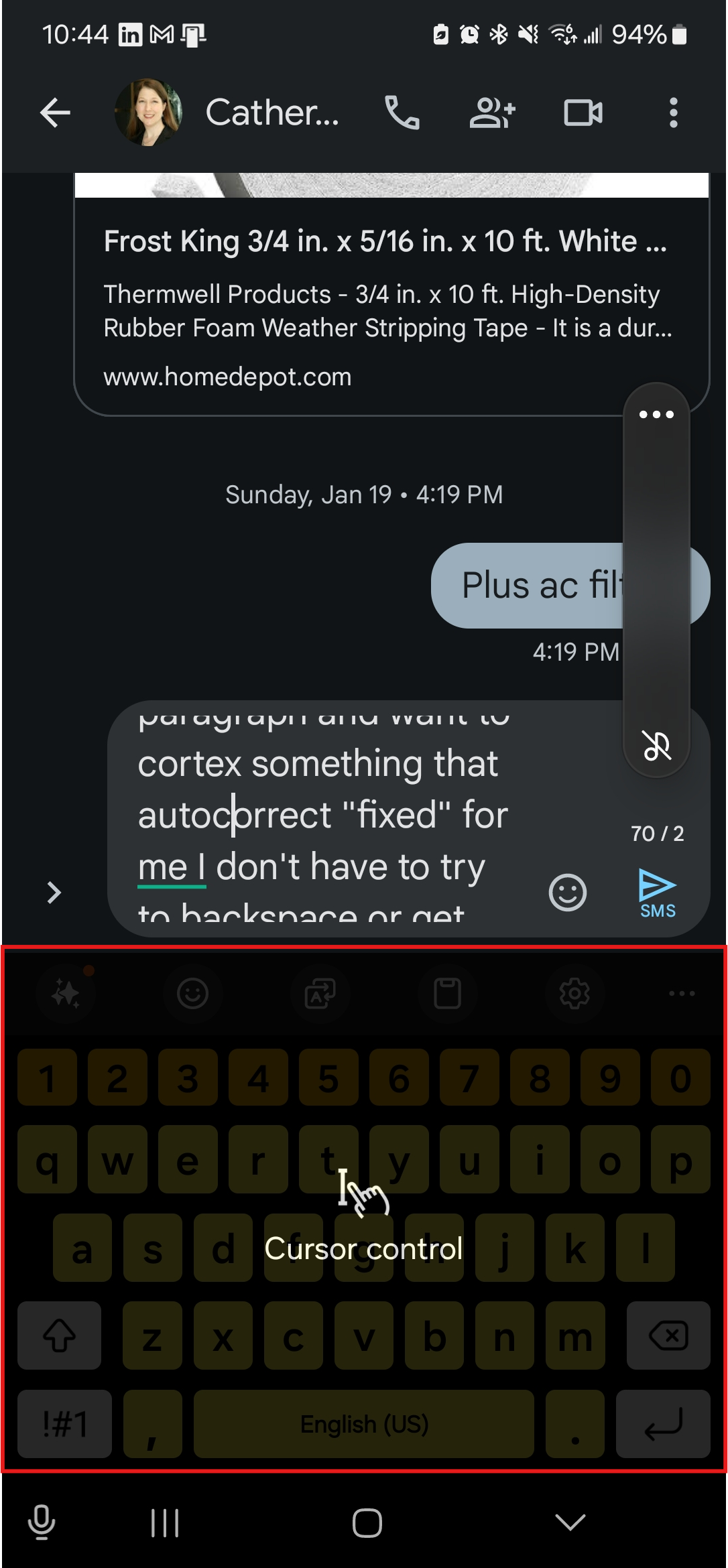
Did you know that if you double tap on the space bar at the end of a sentence it will automatically add a period, space and capitalize the next word you type?
Have you ever composed a long text, email, or social media post and noticed a typo or want to improve your word choice. You don’t have to lift your finger to try to carefully insert the cursor or backspace. Simply hold your spacebar (for Android) or long-press the spacebar (for iOS) and move without lifting your thumb.
Google Maps Tips
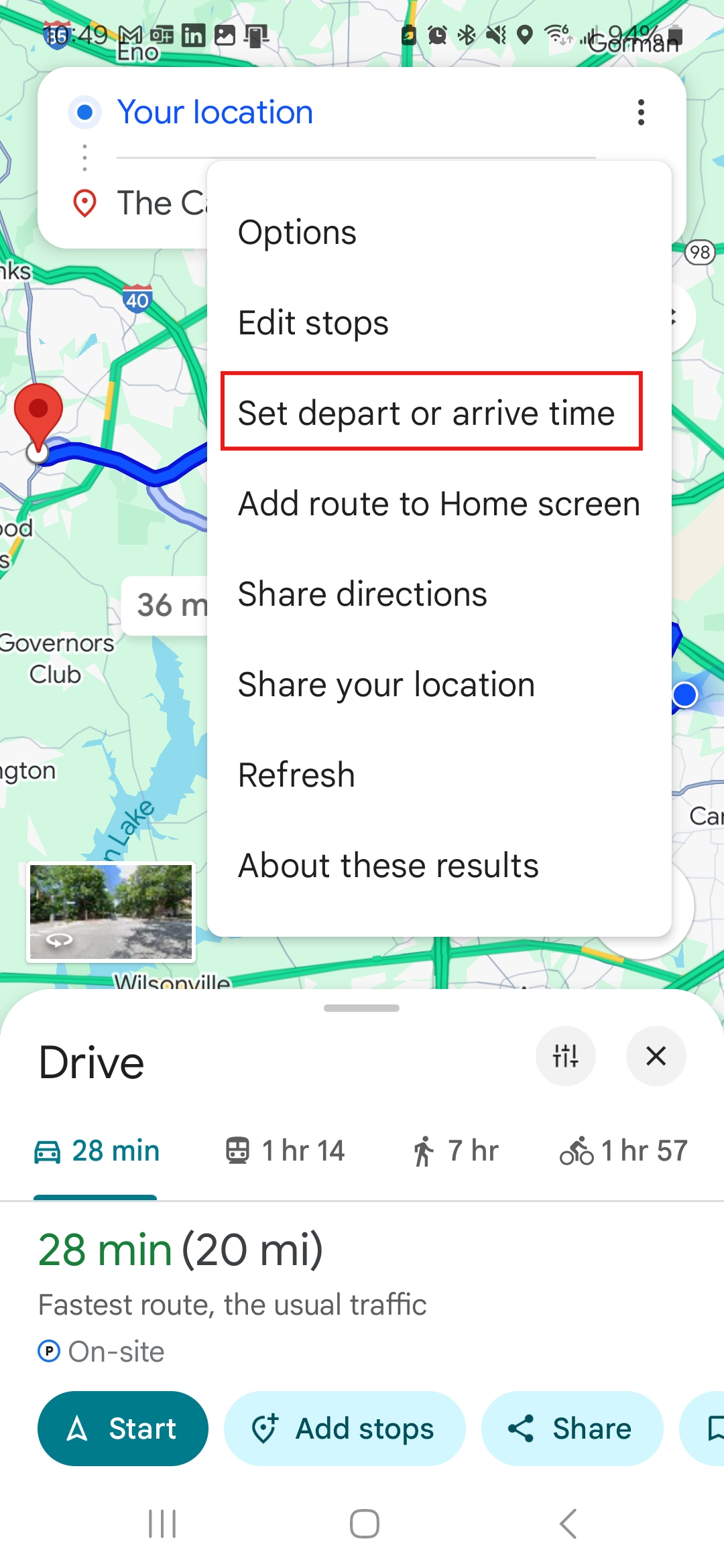
Google Maps you with time management! Open Google Maps, choose your starting and ending location, then click on the three vertical dots to see options, like adding stops or avoiding tolls. You will also see an option to set depart or arrive times. Google maps will suggest how long it might take at a chosen time and chosen day to arrive at your destination.
In addition to Google Maps helping identify public and paid parking with a P symbol on the map, now you can remember where you parked without having to take a picture (or multiple pictures). Once you have parked tap the blue location dot in iOS or Android and select “Set as Parking Location” in the options. A “P” icon will appear alongside a note that says, “You Parked Here”. In Android you can also add details like meter reminders, or the parking garage level.
Reduce Ads and Tracking
You can turn off location tracking in iPhone and in Android to reduce personalized advertising and for more personal privacy. However, your smartphone has an advertising ID that acts like a unique fingerprint for your phone. Without it, companies have a harder time tracking the websites and apps you use and where you go in the real world.
From the Washington Post’s Tech Friend newsletter:
To see which apps have access to your iPhone’s unique identifier, tap the Settings app → Privacy & Security → Tracking. Switch off any apps that have permission here.
For most newer Android phones, tap the Settings app → Security & privacy → More Privacy Settings → Ads → Delete Advertising ID.
Read more from the consumer privacy group Electronic Frontier Foundation to learn about reducing tracking and ads.
How To See Weather Along a Driving Route
If you are planning a long trip and are interested in plotting your route without weather disruptions (when avoidable) you may consider a weather app that also provides real time and future forecasting along a route. The tool is called Morecast, and it has an extremely useful Plan Your Route tool. There is a website and apps for Android and iPhone.
8 Ways to Improve Your Phone’s Signal Strength
PC Magazine provides some tips for improving your smartphone’s signal strength. Some you probably know, like turning on and off airplane mode to force your device to look for the closest cell tower. Some you may find interesting, like using wifi calling when available. Other tips include switching between 5G and 4G and how to do that.
Better Battery Life by Limiting Your Phone Charge
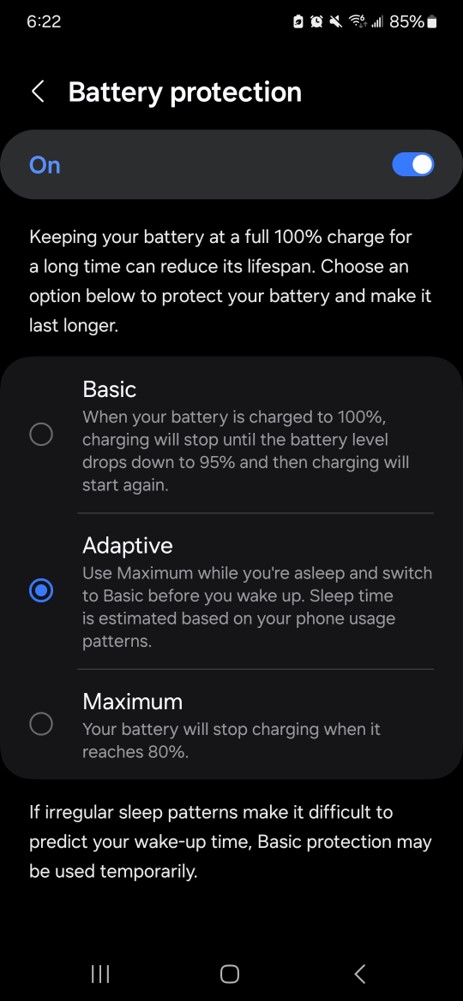 Did you know that keeping your battery at a full 100% charge for a long time can reduce its lifespan? In your smartphone’s battery protection settings you will see options to help extend your battery life in a number of ways, including stopping charging at 80% or letting your phone adapt if it is plugged in overnight so that it charges to 100% and then drops down to 95% before it begins charging again.
If you like tips and want more join us next week in Fayetteville for more tips to try on Tuesday, February 18:
Tips for Taming Technology: Tidbits for Turbocharged Productivity
Tuesday, February 18, 2025 | 12:30 – 3:00
Space is limited. Register Now!
Join us for a program packed with practical tech and practice management tips to supercharge your productivity. We will demonstrate techniques and tools to help you manage emails, tame your documents, tackle your time management, simplify everyday tasks, improve your research skills, and market your practice. Plus, discover how to leverage generative AI and automation tools. Perfect for busy legal professionals hungry for efficiency, it’s your bite-sized guide to mastering modern tech tools!
This is a complimentary event. NCBA members may bring a friend, colleague, or team member to the event. Sandwiches and Sodas will be Served.